![DTS - Logo_No Tagline_White (For Digital).png]](https://courses-help.dts.edu/hs-fs/hubfs/DTS%20-%20Logo_No%20Tagline_White%20(For%20Digital).png?width=125&height=50&name=DTS%20-%20Logo_No%20Tagline_White%20(For%20Digital).png)
Here's how you can revisit completed course lessons and retake quizzes from your student dashboard.
Visit your student dashboard to find the course you'd like to revisit. Here's the link for your dashboard: https://courses.dts.edu/enrollments
Click on the link for the course:
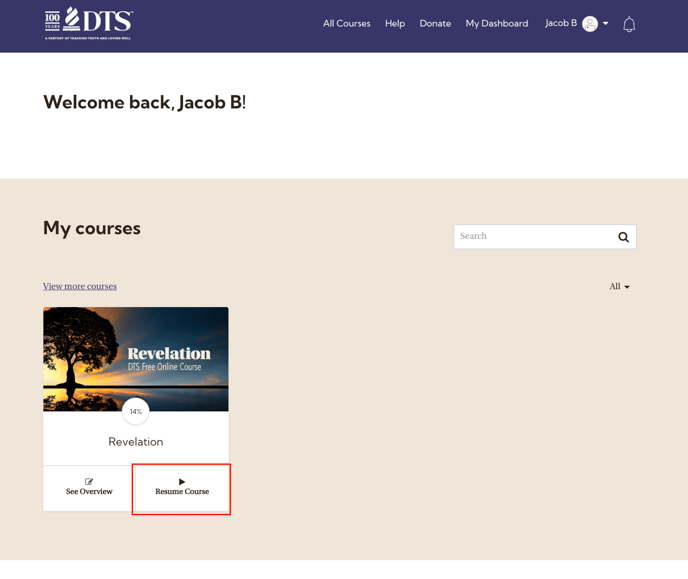
If you are on a laptop or desktop, you may see this screen:
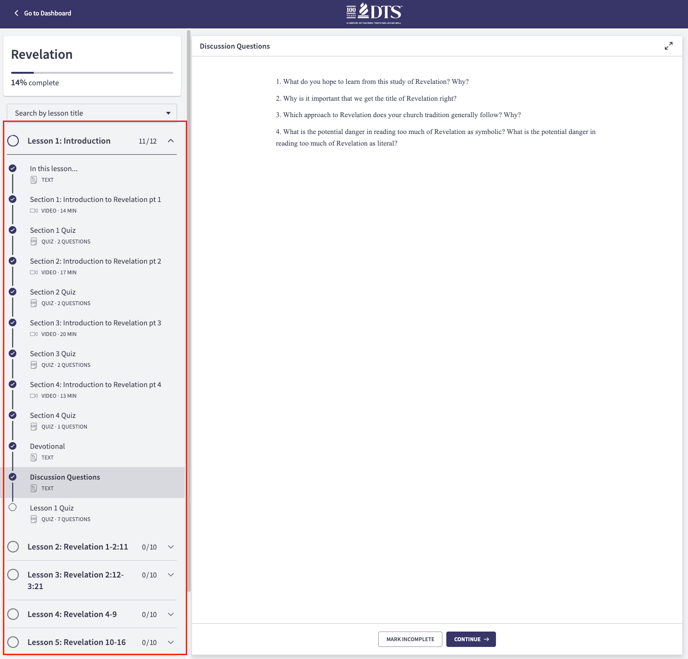
You can click on any of the lessons on the left to revisit them.
If you are on a phone or tablet, you may see this screen:
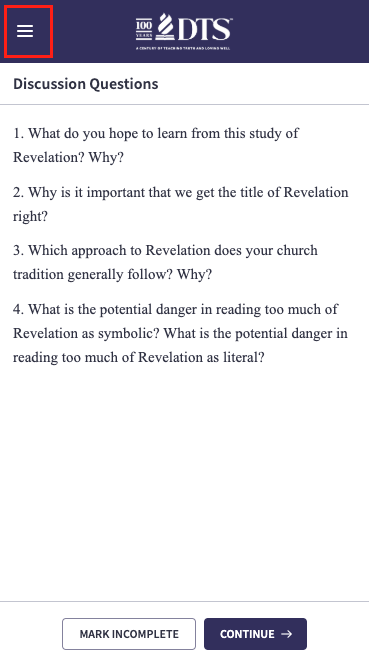
Click the menu icon (three lines) in the top-right corner to see the list of lessons.
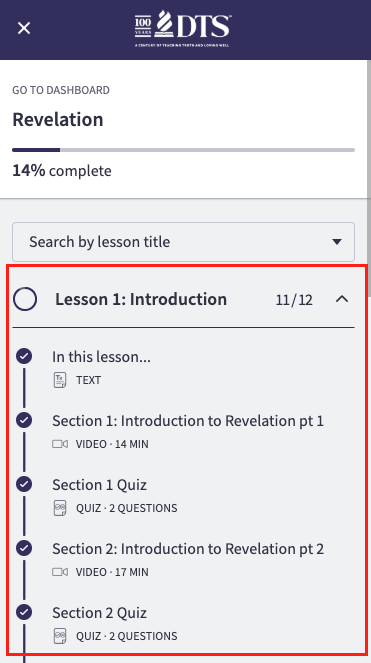
Select the lesson you want to revisit.
You can also use this same method to retake quizzes.